
Account
Manage your Lungoor Voice account and personal information.
Overview
The Account settings let you set up your profile, create a personal persona that helps Lungoor recommend better styles, and manage your account.
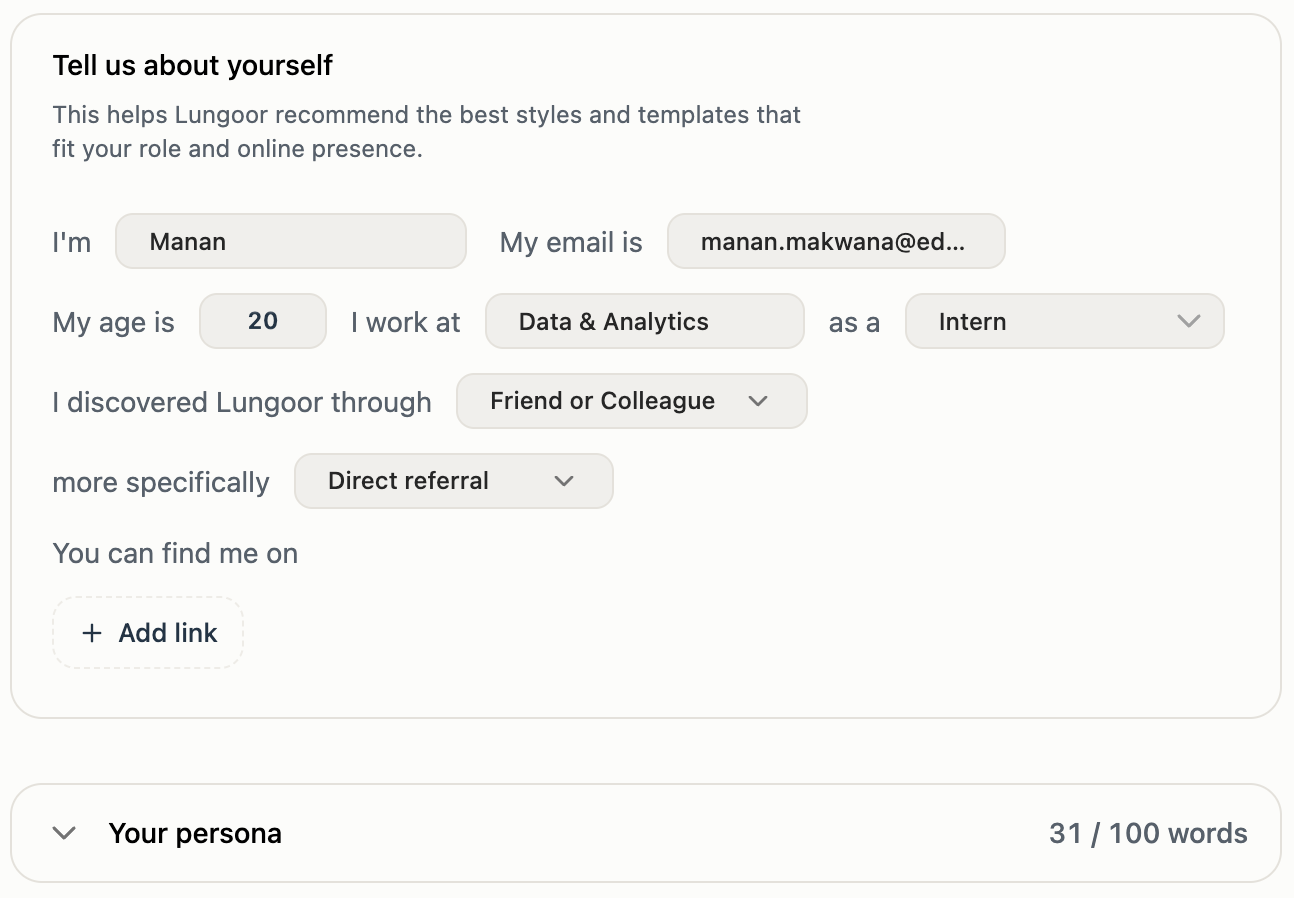
Tell Us About Yourself
This helps Lungoor recommend the best styles and templates that fit your role and online presence.
Fill in your details to personalize Lungoor:
- I'm - your name
- My age is - your age
- I work at - your company or organization
- My email is - your email address
- as a - your job title or role
- I discovered Lungoor through - how you found out about Lungoor (Friend or Colleague, Direct referral, etc)
You Can Find Me On
Add links to your online presence so Lungoor understands where you communicate.
Click + Add link to add:
- Your website
- Twitter / X profile
- LinkedIn profile
- GitHub profile
- Portfolio or blog
- Any other online presence
The more links you add, the better Lungoor can tailor its style recommendations to how you actually communicate online.
Your Persona
Your persona is an AI-generated summary of who you are and how you communicate. It helps Lungoor recommend the right styles and templates for your needs.
When you fill in your details and add your links, Lungoor automatically generates a persona for you - no extra work needed.
The persona shows:
- About me - a summary of your role and background
- How I communicate - your tone, quirks, dos and don'ts
You can:
- Refine with AI - ask Lungoor to improve or adjust your persona
- Delete - remove your persona and start fresh
- Edit - manually edit any part of your persona to be more accurate
Tips
- Fill in your details honestly so Lungoor can recommend the best styles for you
- Add links to where you actually communicate - this helps with accurate recommendations
- Your persona updates automatically when you change your information
- Use Refine with AI if the generated persona doesn't feel quite right
- The more complete your profile, the better Lungoor's style and template recommendations will be
Sign Out
When you're ready to leave your account, click Sign out from the bottom of the Account settings.
This logs you out of Lungoor Voice. You'll need to sign in again to access your account and history.
Save
After making changes to your account information, click Save to update your profile.
Your changes are securely stored with your Lungoor account.